Overview
This API reference is written for the publicly released Pleos Connect SDK. The documentation may not match the SDK and emulator versions you are currently using. For the SDK and emulator versions that correspond to this documentation, see Development environment requirements.
The Pleos Connect SDK is an integrated development toolkit for building infotainment applications that run in the Pleos Connect environment. Built on Google Android Automotive OS (AAOS), it provides standardized interfaces so you can develop vehicle-related apps efficiently without complex hardware integration. Using the SDK’s APIs and emulators, you can implement core features such as:
- Vehicle control and monitoring: Vehicle SDK, ADAS SDK, Fused Location SDK
- Navigation and speech services: NaviHelper SDK, SpeechToText SDK, TextToSpeech SDK
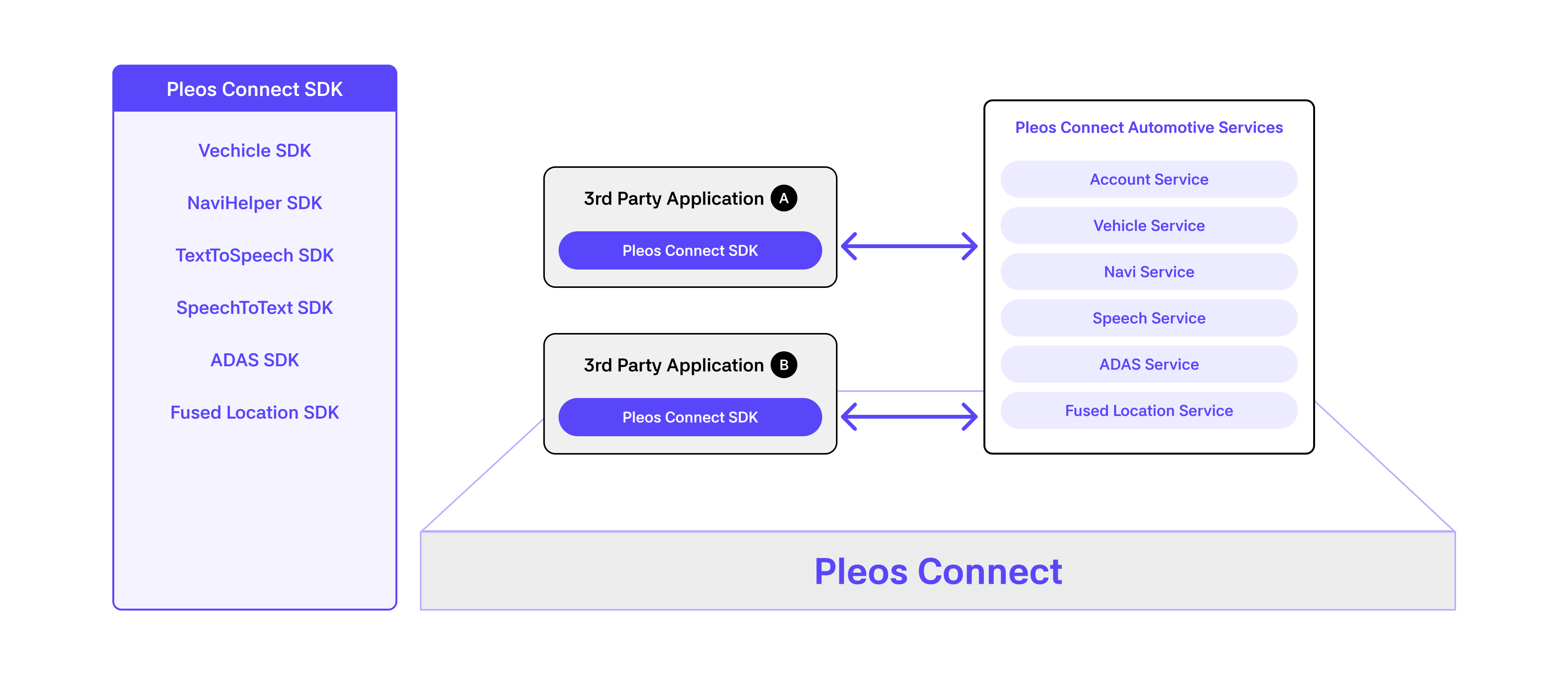
Modules
Pleos Connect SDK consists of Vehicle SDK, NaviHelper SDK, TextToSpeech SDK, SpeechToText SDK, ADAS SDK, and Fused Location SDK.
- Vehicle SDK: Provides APIs for vehicle status inquiry and vehicle control.
- NaviHelper SDK: Provides APIs for route guidance control and navigation information.
- SpeechToText SDK: Provides speech recognition (SpeechToText) APIs.
- TextToSpeech SDK: Provides speech synthesis (TextToSpeech) APIs.
- ADAS SDK: Provides information that can assist driving through the ADAS API.
- Fused Location SDK: Provides APIs for vehicle location information.
API policy
The API policy of Pleos Connect SDK is to align with Android Automotive when an API with the same or similar functionality exists there, in order to minimize platform fragmentation. Also, if features that were previously provided through the Pleos Connect Vehicle SDK are adopted in Android Automotive, the default policy is to provide backward compatibility for at least 2 major versions.
In Vehicle SDK, you can check whether APIs are supported for each domain using the checkXXXCapabilities API of the corresponding interface.
When using APIs, you must declare the required permissions in the app. Permissions may be used only within the scope pre-negotiated and approved with Pleos App Market. Declaring an unapproved permission or calling the corresponding API causes the app to fail app review.
- For how to use
checkXXXCapabilities, see Check domain capabilities. - For detailed app review criteria, see the App Review Guidelines.