App Library
The App Library is an area where various app services installed through the app market are gathered.
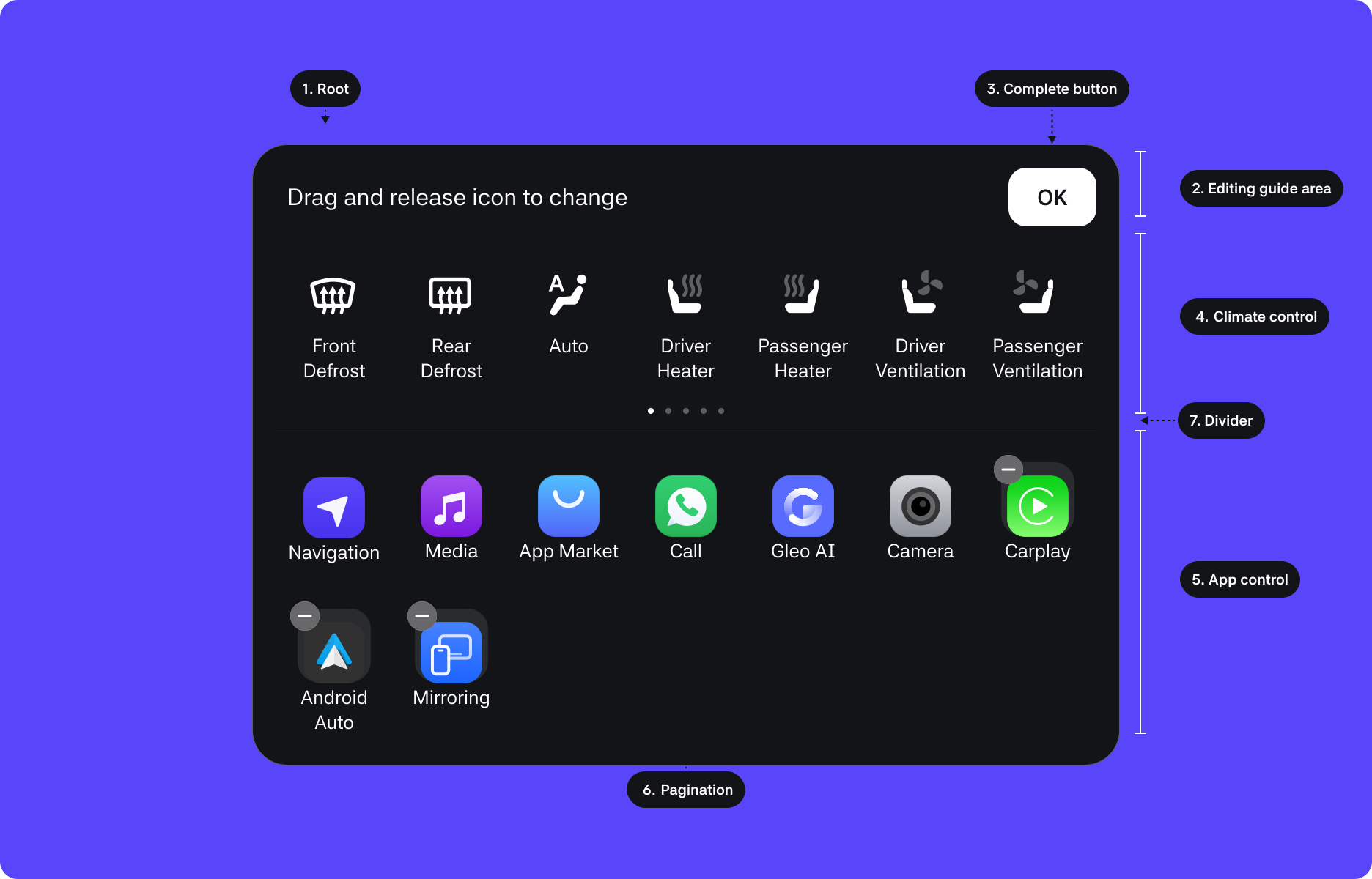
1. Root : The top-level container area wrapping the component
2. Editing guide : Displayed in Editing mode
3. Complete button : Saves changes after modifying or deleting control buttons and the app order
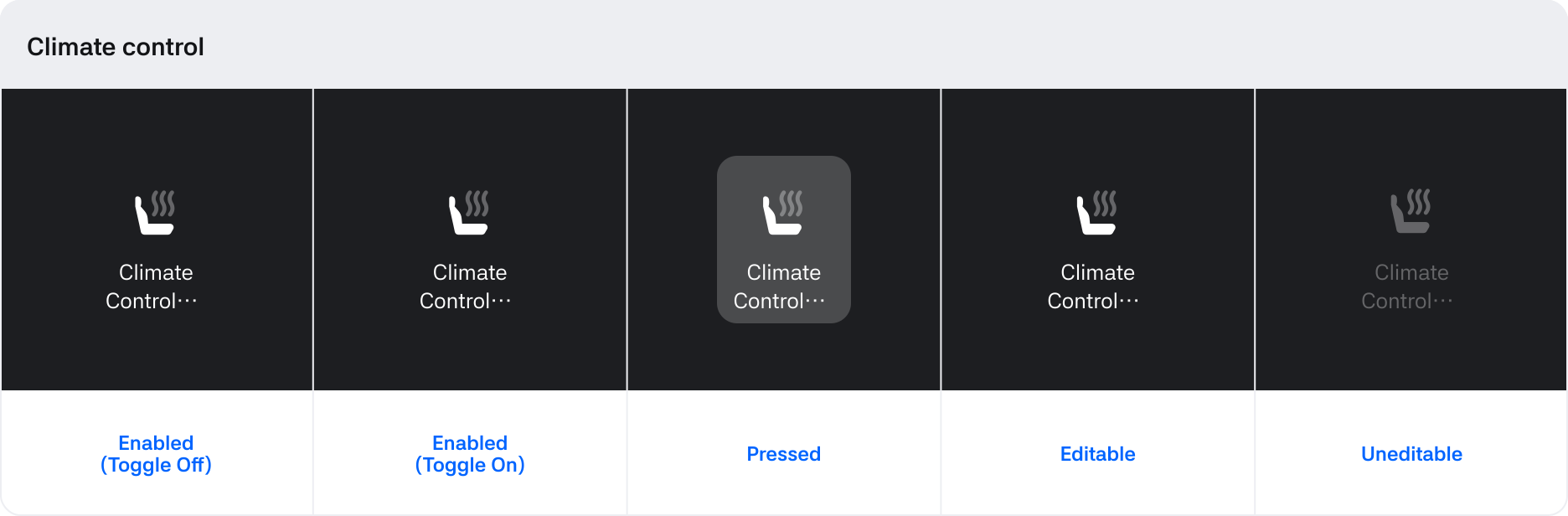
4. Climate control : Area with buttons for HVAC elements like heat and ventilation
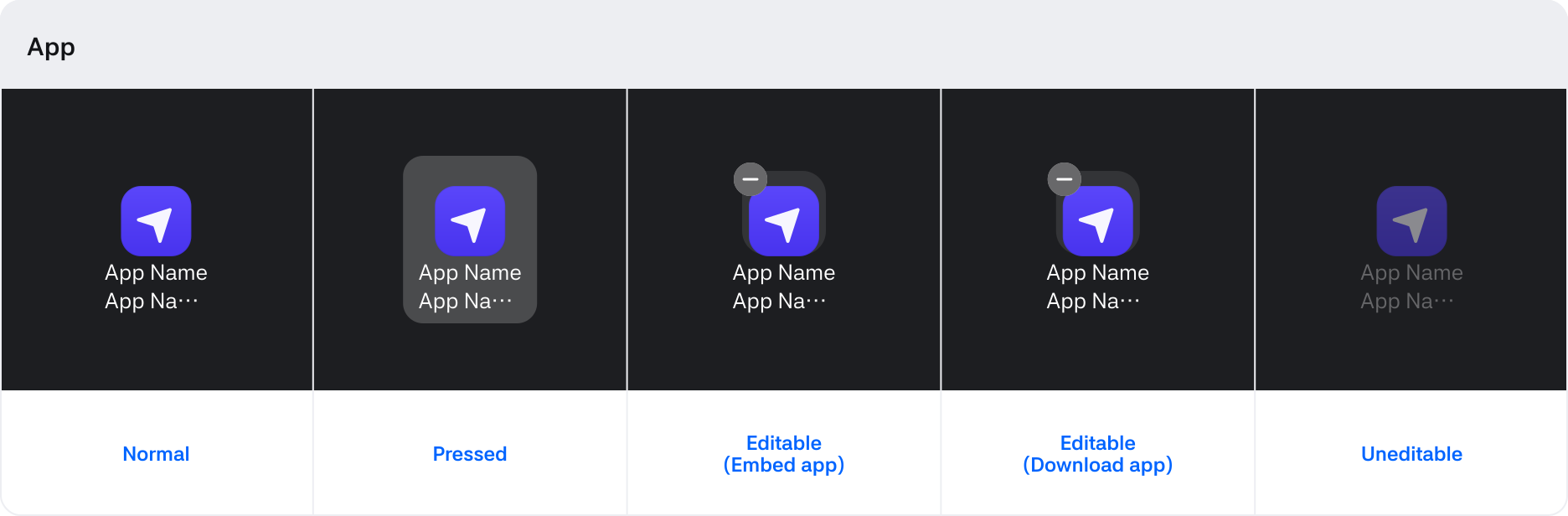
5. App : Area for embedded or downloadable apps
6. Pagination : Displays when the number of Climate control and App items exceeds what fits on a page
7. Divider : Separates the Climate and App areas.
States
Behaviors
Normal
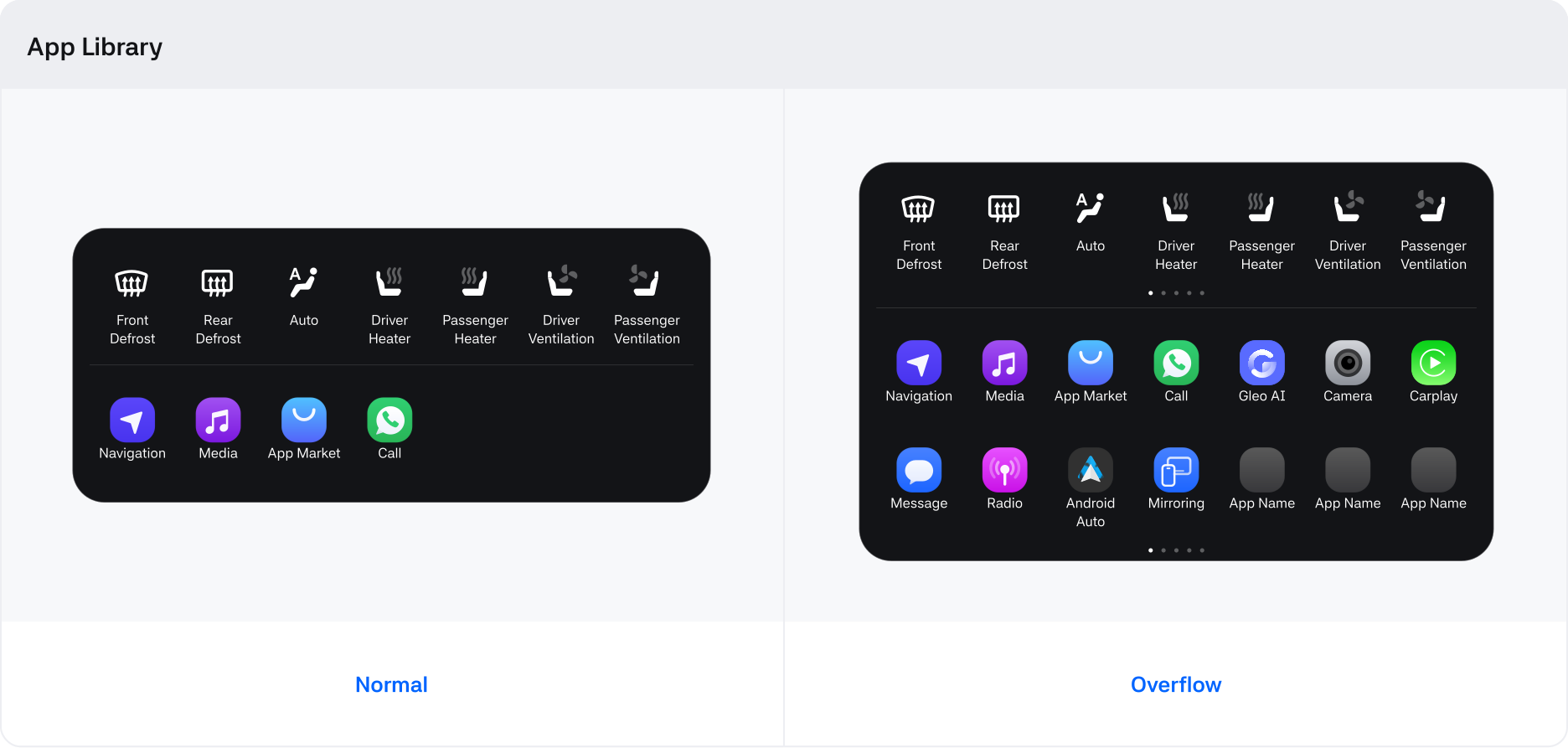
- Up to 7 items can be shown per row based on Connect-S.
- If more than 2 rows are needed based on Connect-S, indicators for horizontal navigation will be shown.
- The top menu contains vehicle controls, while the bottom menu contains app launch options.
Editing
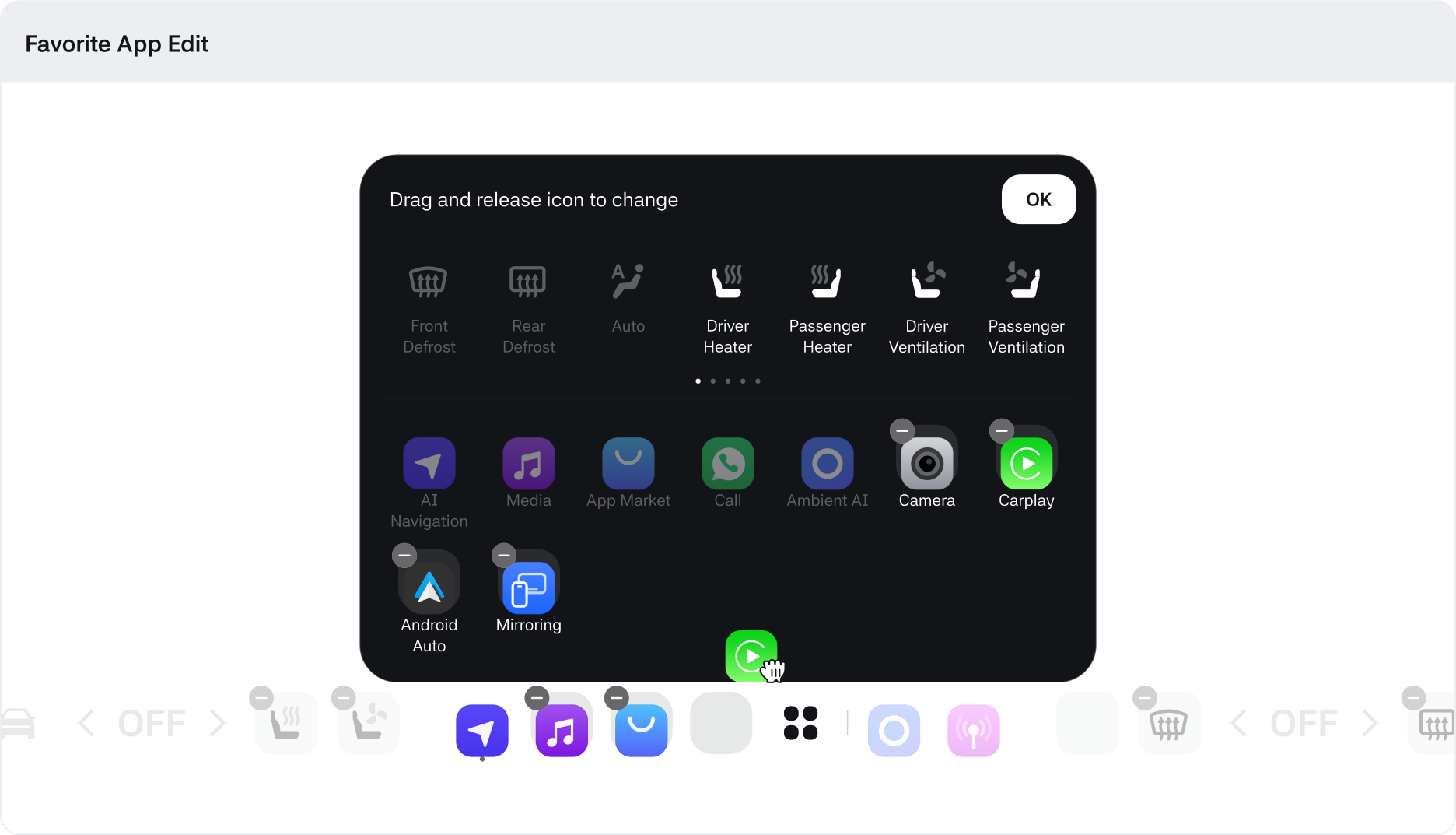
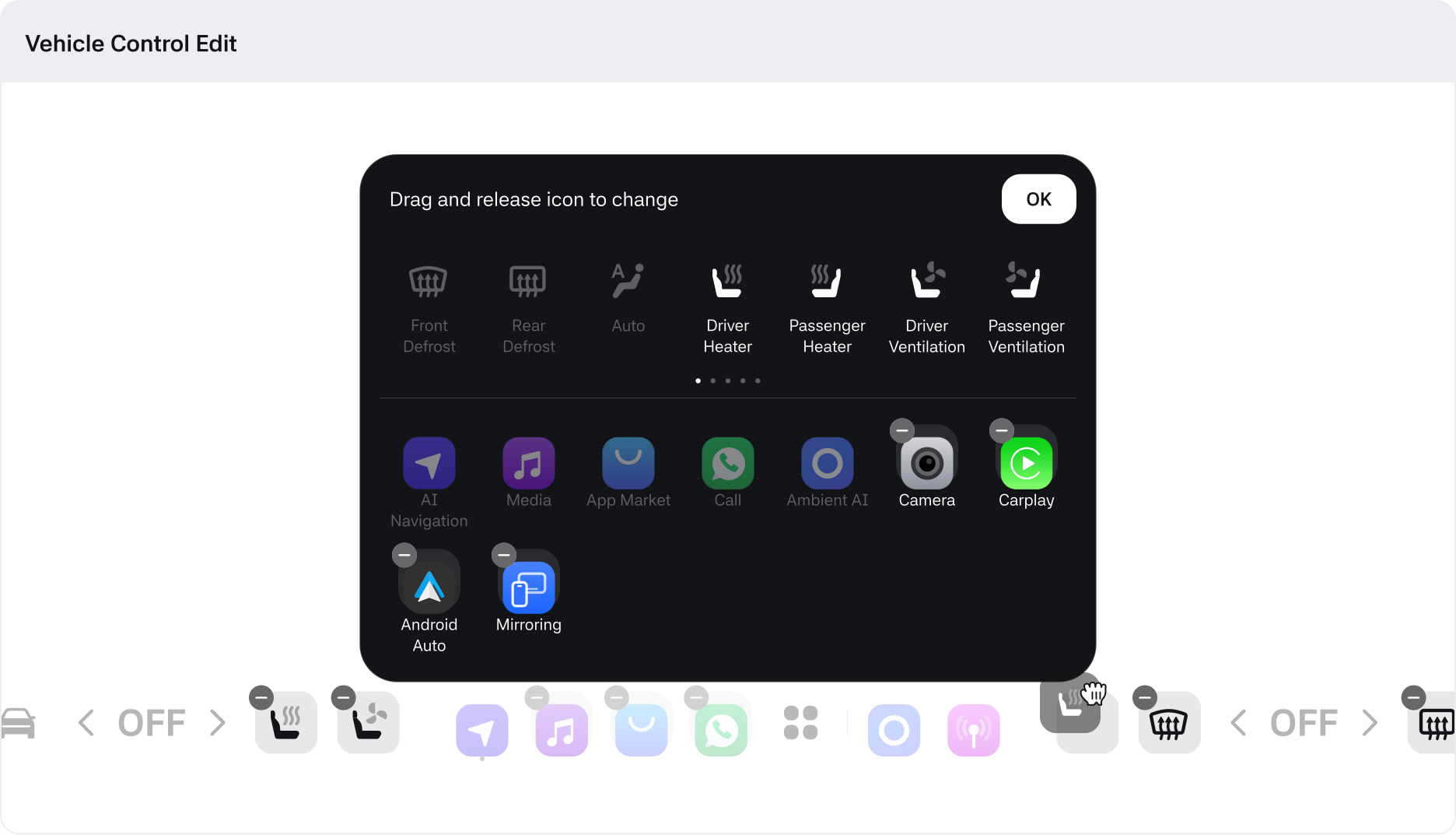
- Apps that are defaults or located in the GNB and can't be moved will be disabled.
- Vehicle control menus and apps can only be moved within their designated areas.
- When controlling menu items through drag, areas where items can't be moved will be disabled.
- According to regulations in each country, Frost and Defrost may be required to be provided in the GNB.