Number Field
This is a field for entering numeric information.
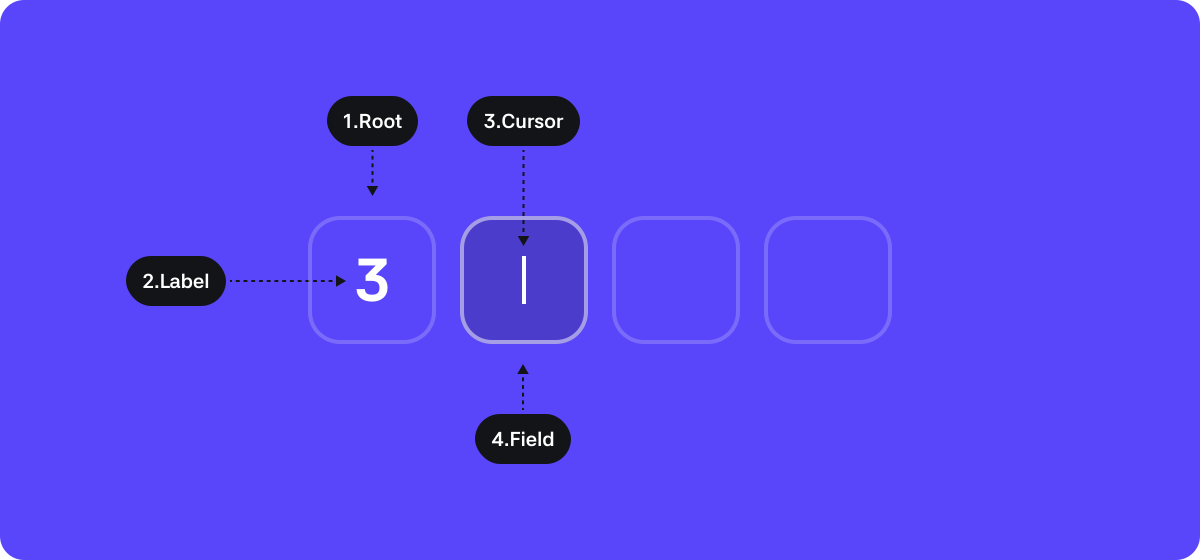
1. Root : The top-level container area wrapping the entire text field
2. Label : The element entered by the user
3. Cursor : The cursor element shown when the field is in a state where text can be entered
4. Field : The area where the user enters information
States
| State | Value | Description |
|---|---|---|
| Value | String | Text information entered in the text field |
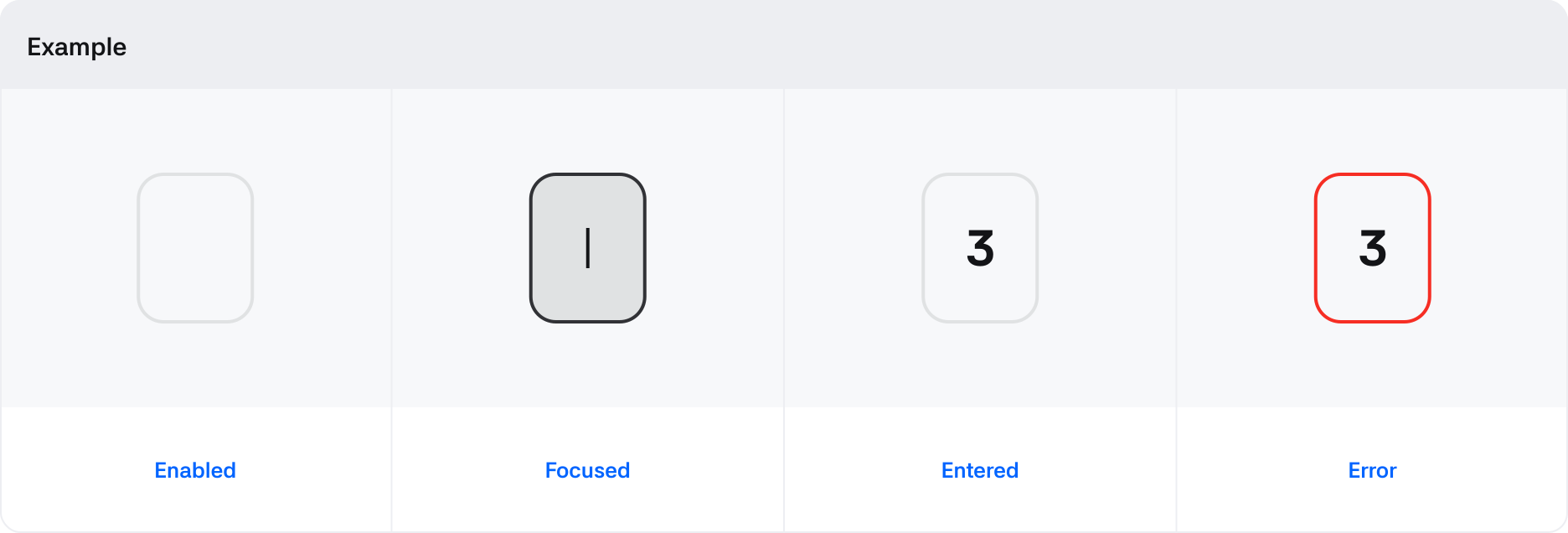
| Focused | True / False | Changes to True when the Text Field area is recognized upon touch or VoiceOver access |
| Disabled | True / False | If True, input and access to the Text Field are not allowed. Focused state is not functional |
| Read Only | True / False | If True, the text field can be accessed for its input value but cannot be modified. Focused state works. |
| Invalid | True / False | State that checks whether the entered value is valid or not |
Properties
| State | Value | Description |
|---|---|---|
| Size | Large, Medium | Size of the text field |
