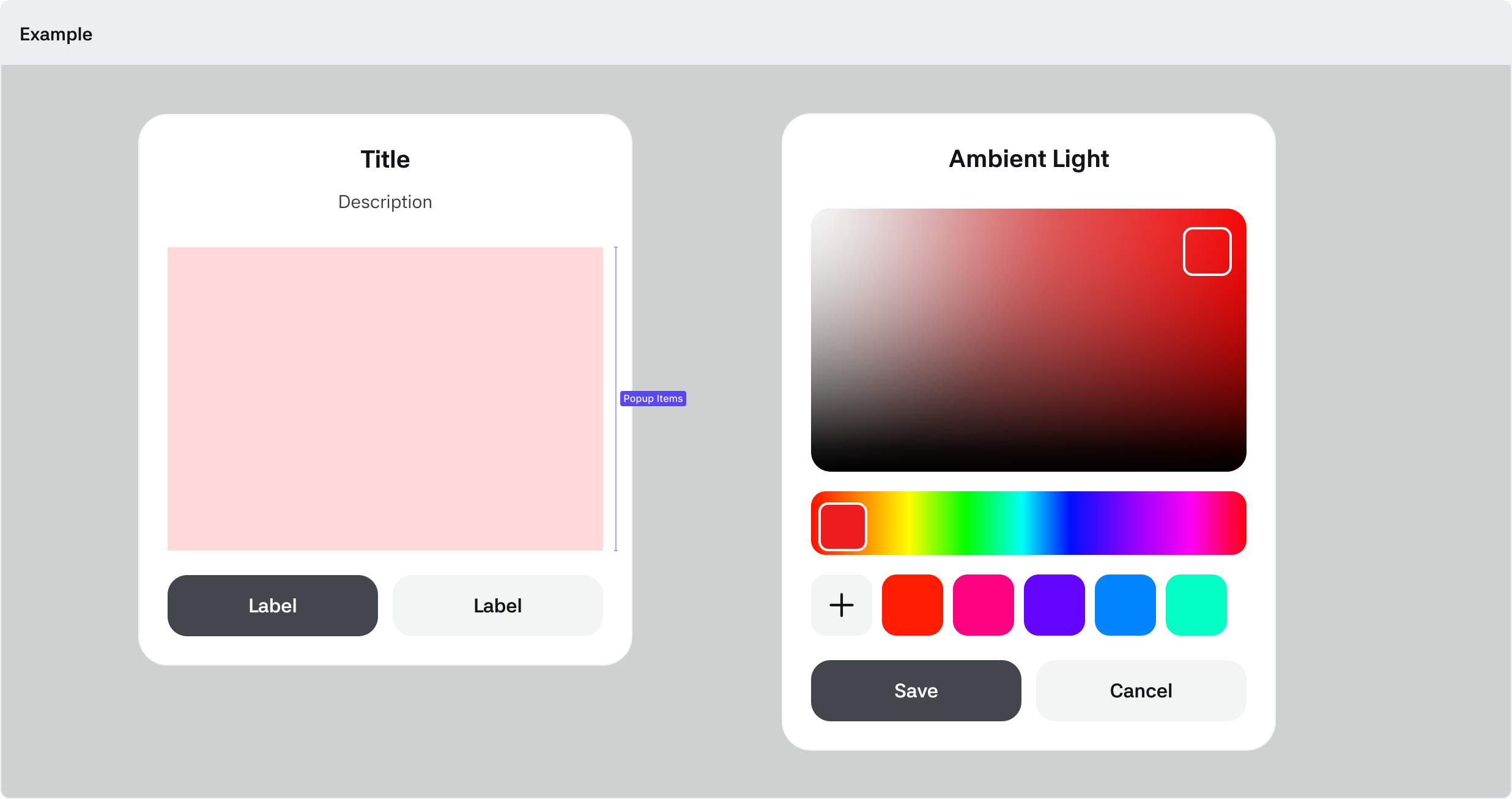
System Popup
A default popup provided within the app. You can also display content in the Body area that fits the service context.
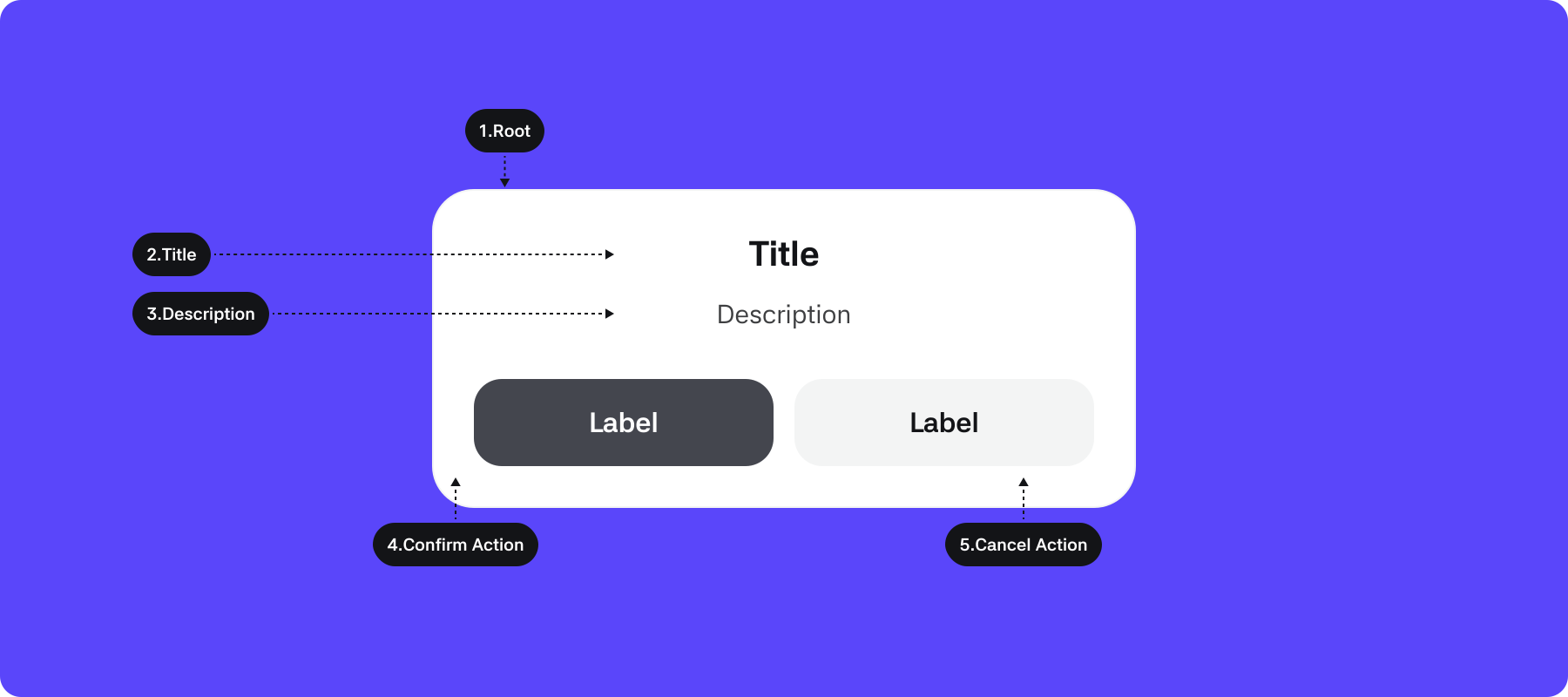
1. Root : The top-level container area that wraps the Popup component
2. Title : Area where the main text of the popup is displayed
3. Description : Main text the dialog intends to convey to the user (Optional)
4. Confirm Action : Button to acknowledge the popup’s message or to link to another entry point
5. Cancel Action : Button to cancel or close the popup (Optional)
Properties
| Property | Value | Description |
|---|---|---|
| Header | Icon, SubTitle, Description | If true, Header is shown |
| Body | Boolean | If true, displays the content set between Header and Body |
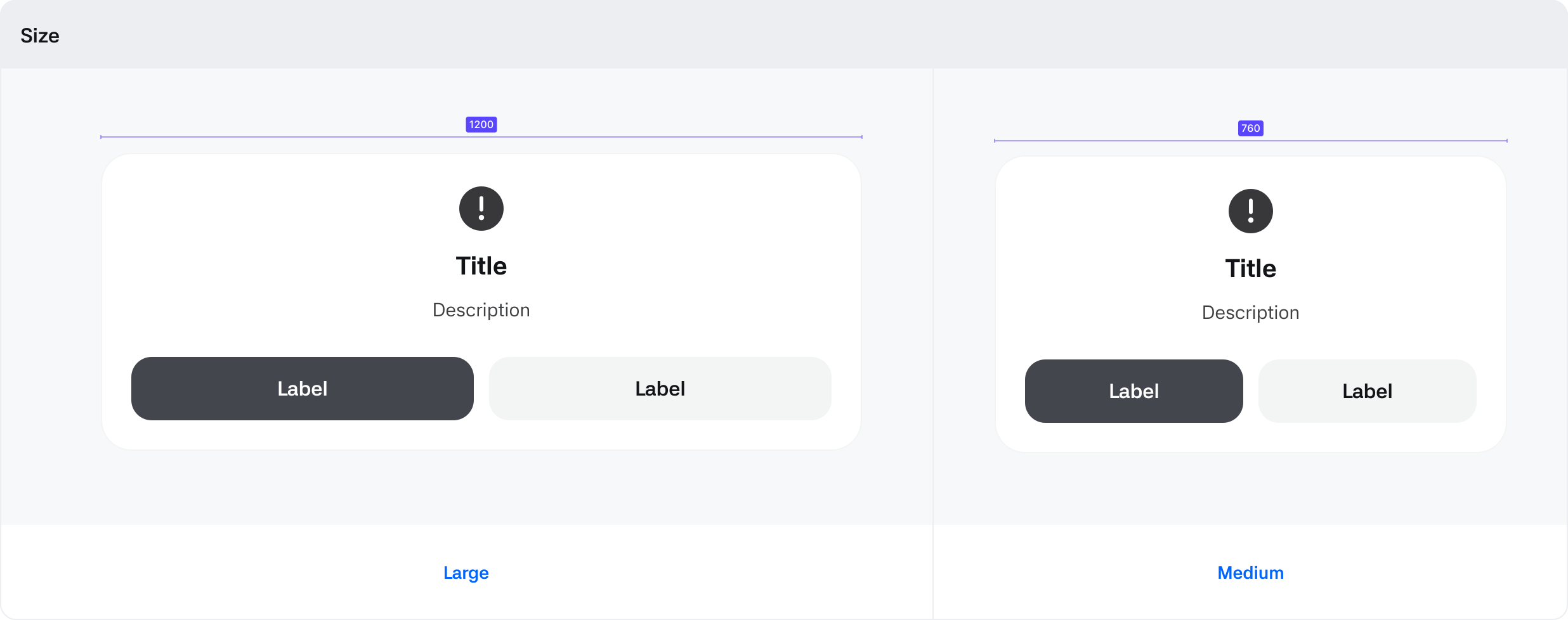
| Size | Large, Medium | Popup size types |
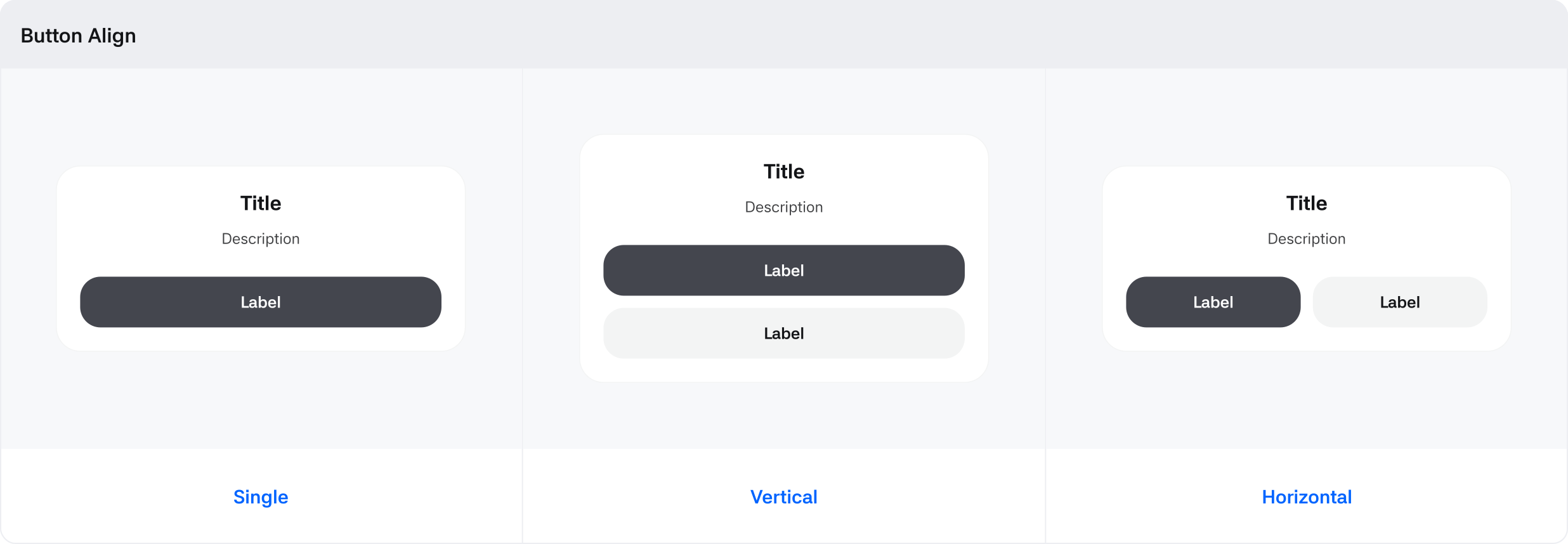
| Button Align | Single / Vertical / Horizontal | Options based on button alignment |
Body Contents
The Body area can display key popup items meant for the user.