Tabs
An element for offering two or more content or functional options.
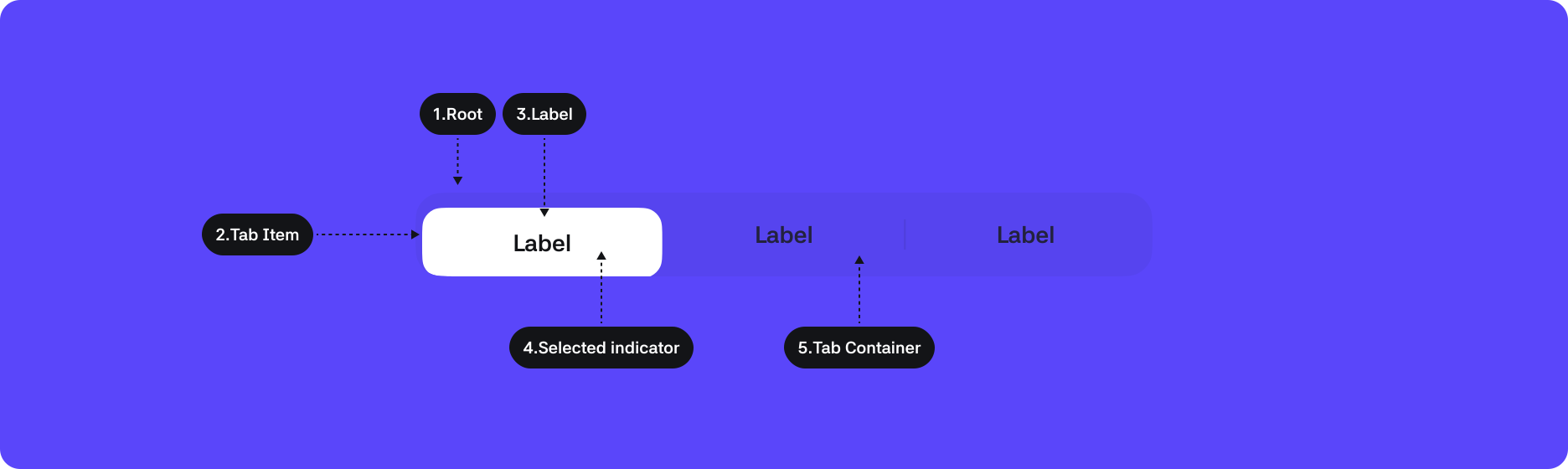
1. Root : The top-level container area that wraps the Tabs component
2. Tab Item : A group of content (pages) that users can switch by selecting
3. Label : A label that conveys information about the Tab item
4. Selected indicator : An element indicating the Tab item selected by the user
5. Tab Container : The area where Tab items are listed
States
| States | Value | Description |
|---|---|---|
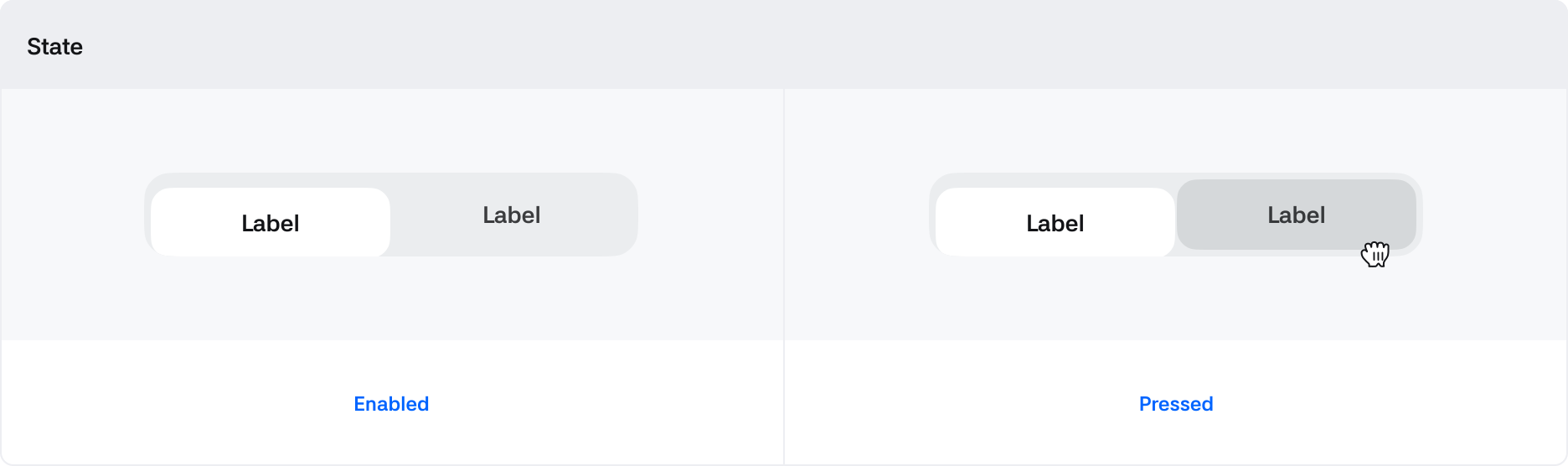
| Enable | Boolean | Default state where touch is enabled |
| Pressed | Boolean | Changes to True when being clicked via touch |
| Selected | Boolean | The selected value input in the Tabs component |
Properties
| Property | Value | Description |
|---|---|---|
| Type | Box, Line | Two styles of Tab types |
| Fitted | Boolean | If True, Tabs expand at regular intervals to fit the Tabs width If False, displayed with Left Aligned alignment |

