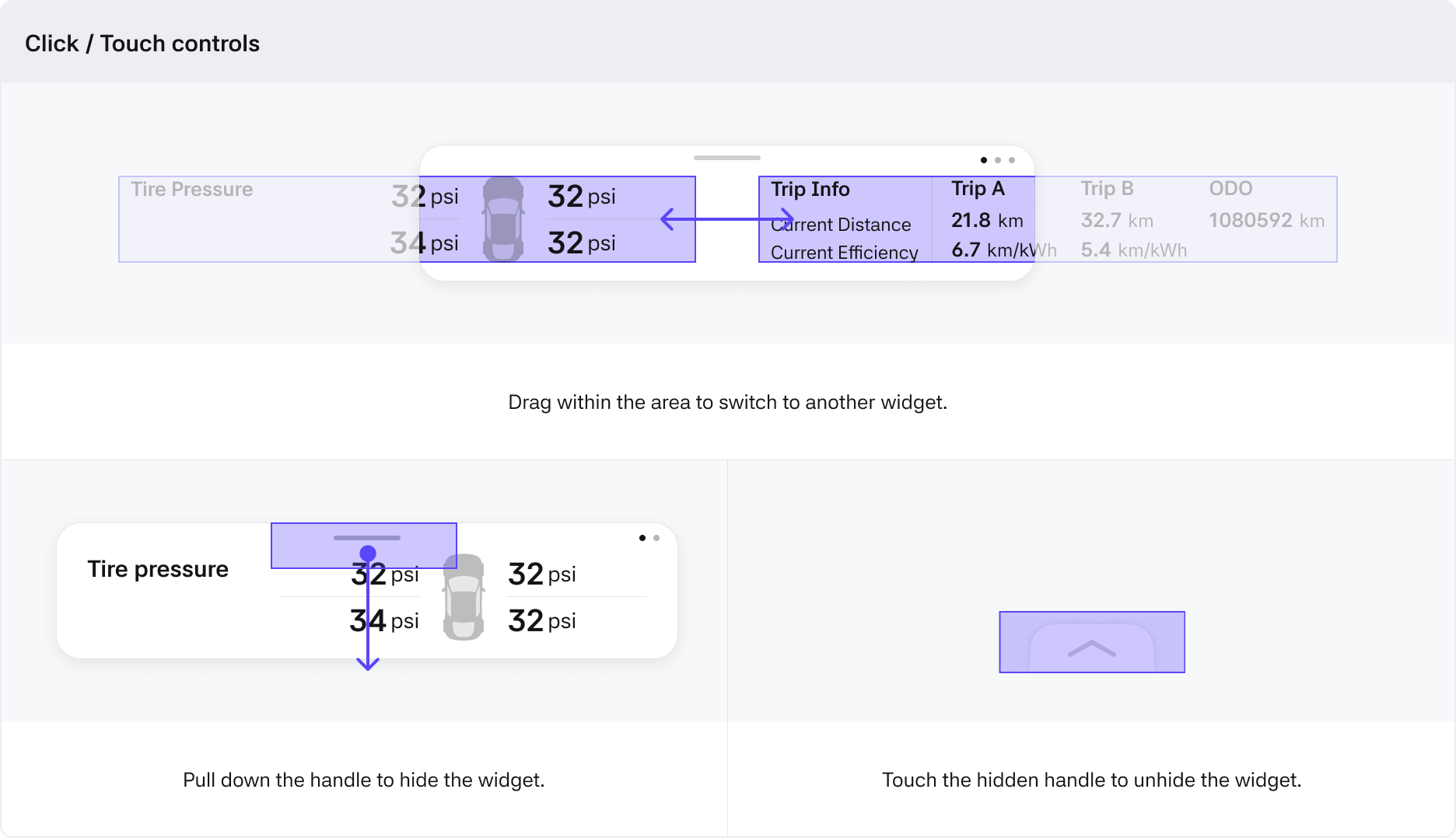
Widgets
Anatomy
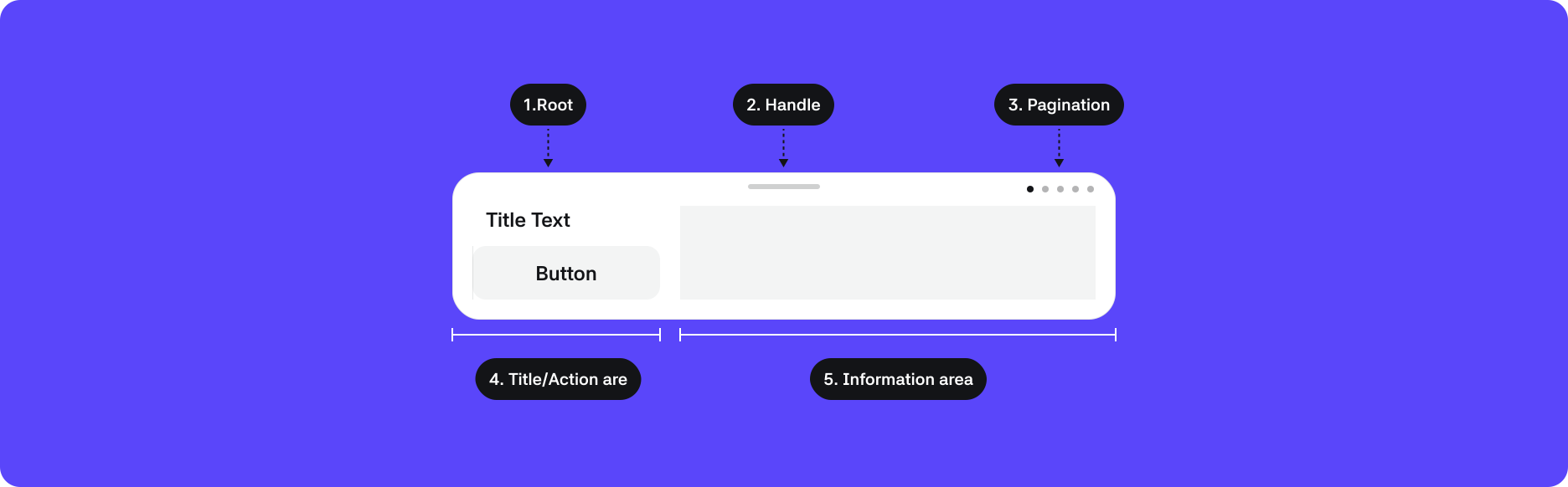
1. Root : The top-level container area that wraps the component
2. Handle : The area that allows you to pull down and hide the widget
3. Pagination : Displays the number of widgets available and the sequence of the currently visible widget
4. Title/Action area : The title of the widget and the control area
5. Information area : The main information area provided by the widget
Properties
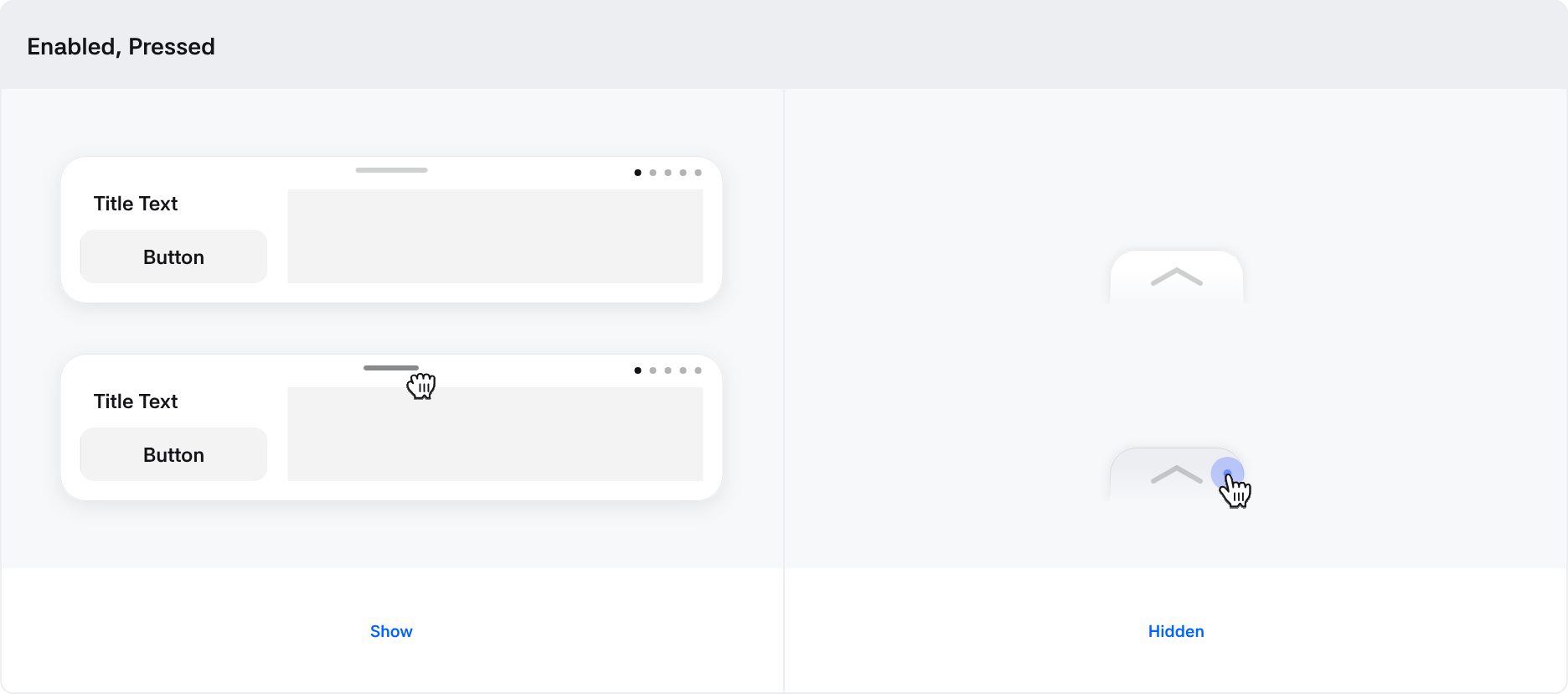
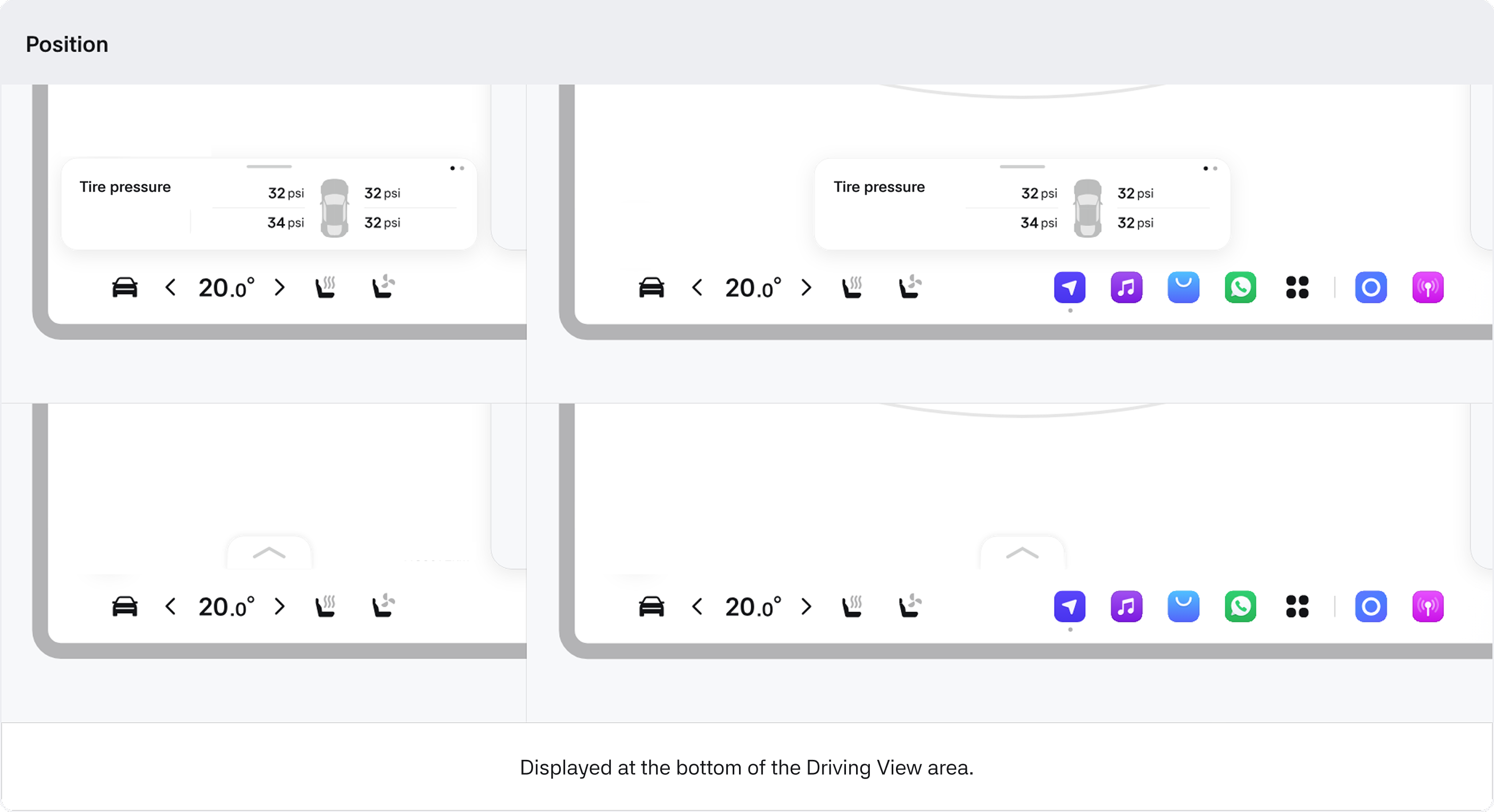
Interaction