Display Layout
Screen Components and Layers
Screen Components
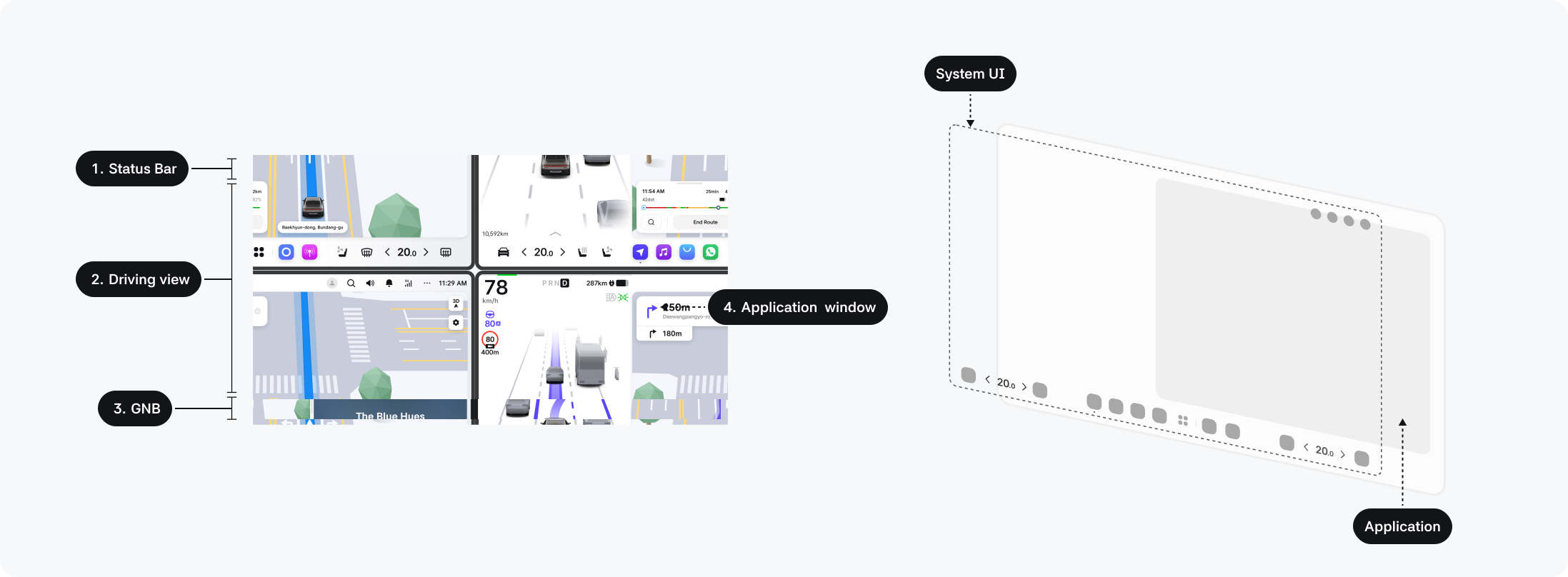
The Pleos Connect screen consists of system UI elements and application windows.
-
Status bar: Includes system status such as driving status, Gleo AI and search, clock, network status, microphone status indicators, notification center, and profile selector.
-
Driving view: Contains driving/safety information such as telltales, speed, and vehicle status.
-
Global Navigation Bar (GNB): Includes the app library, favorite apps, and climate controls.
-
Application window: The area where running applications are displayed; it can show one or two apps. Therefore, except for applications that can only run in a single mode such as landscape-only games, all apps should be designed to adjust appropriately to both landscape and portrait layouts.
Screen Layers
System UI elements such as the top status bar, GNB’s app library, climate panels, and keyboard are placed above applications in the screen hierarchy, so they may temporarily obscure the application window when in use.
Screen Types
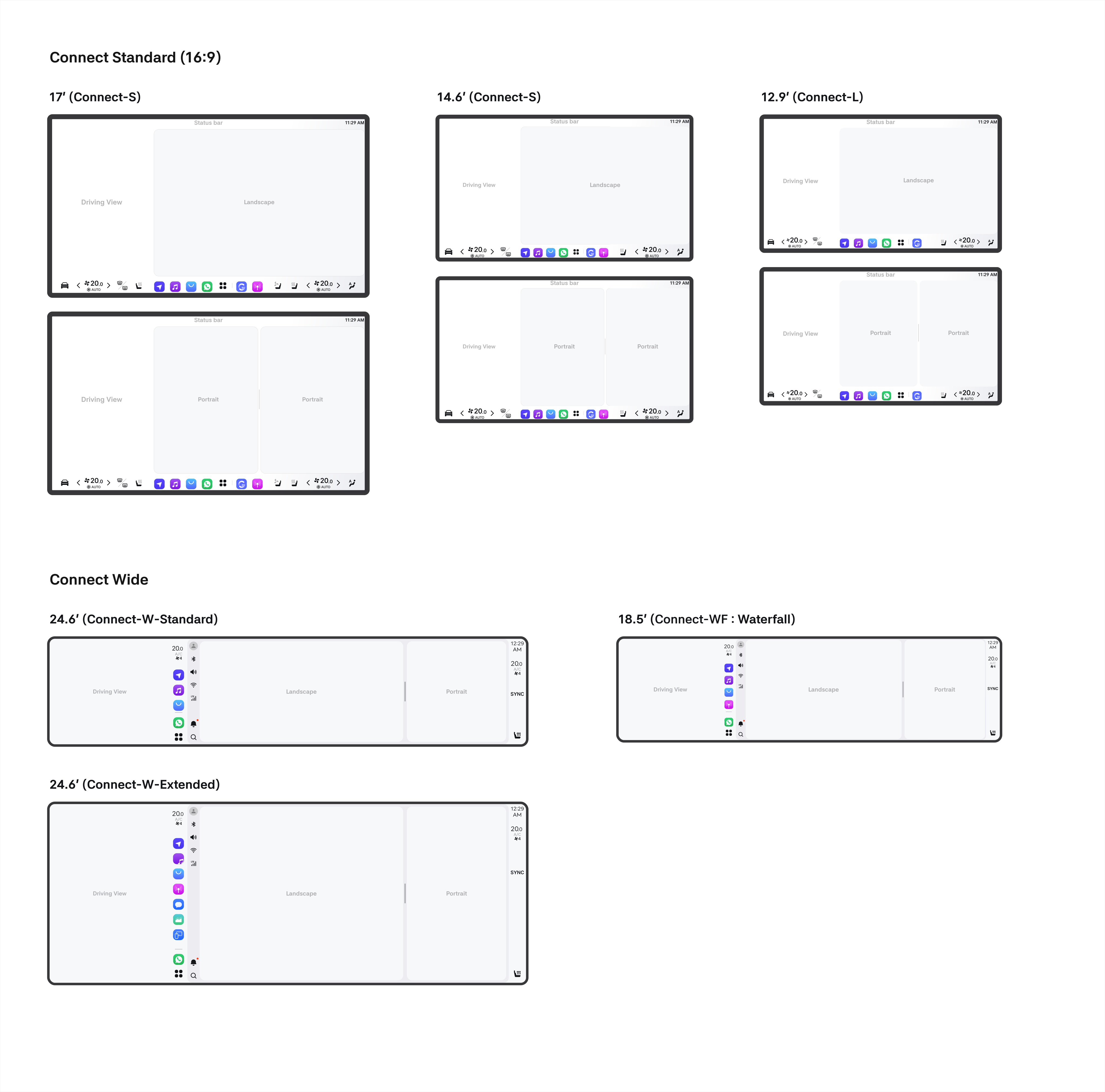
The display of Pleos Connect is categorized into two types: Standard and Wide. The previous Connect-L has been reclassified as Connect-S.
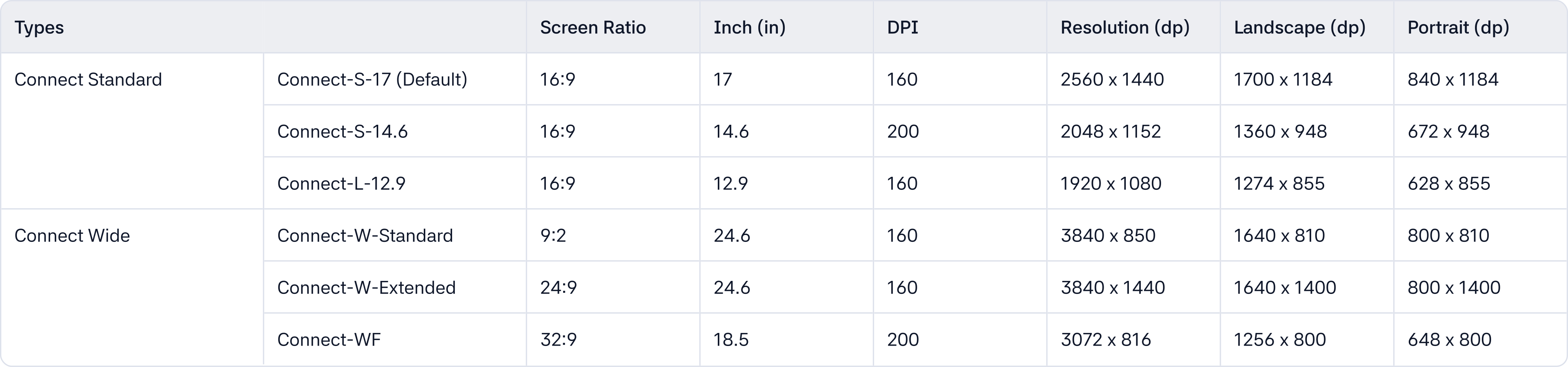
- Connect-S: Display provided in the default size of the OS; S stands for Standard. It is available in three sizes: 17 inches, 14.6 inches, and 12.9 inches (Connect-L).
- Connect-W: A wide display that is wider than Connect-S and typically installed in high-end vehicles. Its height may expand depending on the vehicle status, and this expandable version is called Connect-W-Extended.
- Connect-WF: Known as Waterfall, it is a display with a smaller resolution compared to the Wide display. Although small, it can provide essential in-vehicle functions.