Introduction
Vehicle SDK Overview
Vehicle SDK provides APIs for retrieving and controlling vehicle information. Third-party apps connect to the Vehicle Service in Pleos Connect through Vehicle SDK. Vehicle Service runs on Android Automotive OS and processes requests from third-party apps to retrieve and control vehicle information through Vehicle SDK APIs.
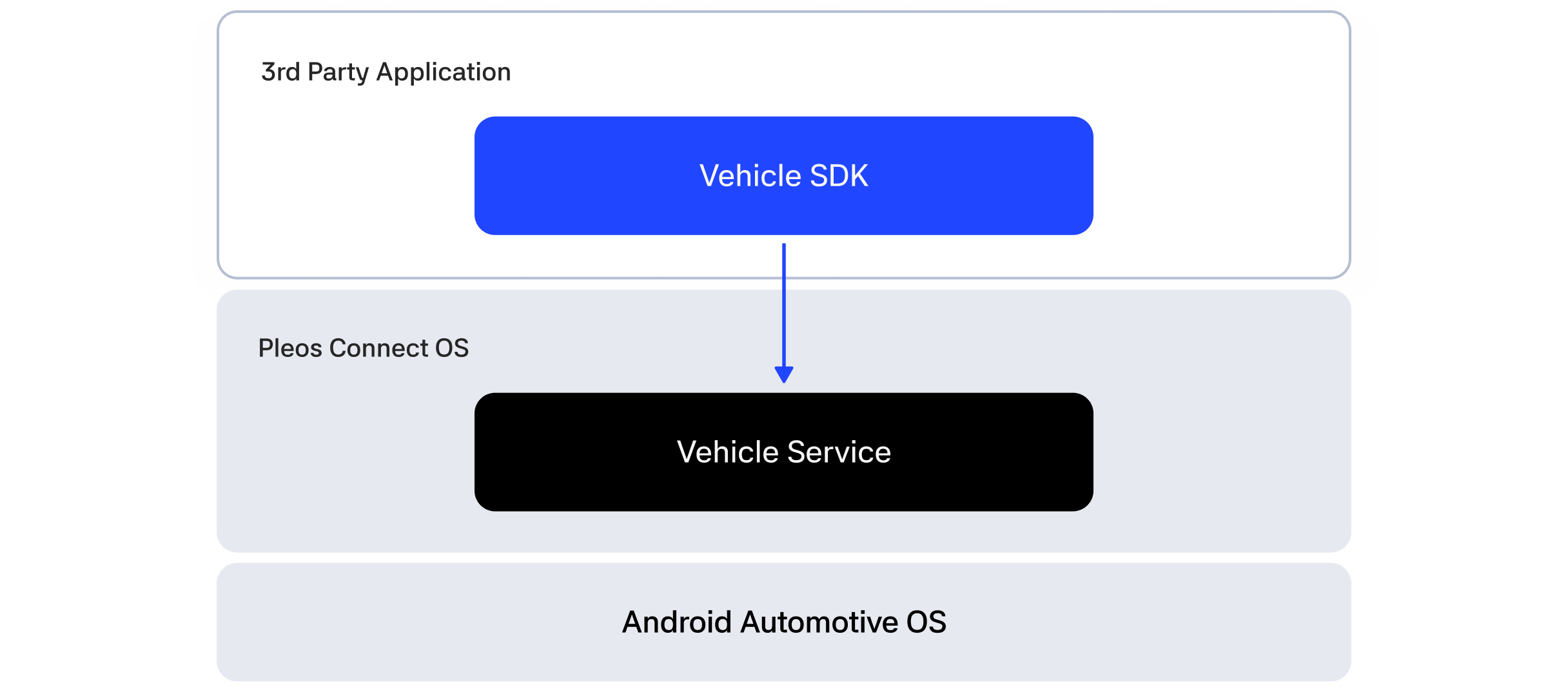
This guide is based on Vehicle SDK v2.3.2 and Vehicle Service v2.3.21.
Entry point and domain structure
Vehicle SDK APIs are provided as domain-specific interfaces, including Brake, CarInfo, Display, Door, DrivingMode, EvBattery, Fuel, HVAC, and Light. Domain objects such as Door and Brake are not instantiated directly. Instead, obtain them through getXxx() methods such as getDoor() and getBrake() on the Vehicle instance, which is the entry point to Vehicle SDK. Use the domain objects to call capability, get, set, and callback APIs. Capability APIs (checkXXXCapabilities) check feature support and the available value range, get APIs retrieve current values, set APIs update values, and callback APIs subscribe to state changes by registering listeners.
Connect to Vehicle Service by calling initialize(), and call release() when you are finished. Vehicle communication uses IPC, so capability, get, and set results are delivered asynchronously through onComplete and onFailed lambdas instead of being returned immediately. Do not call release() before an asynchronous callback completes.
| Domain | Description |
|---|---|
| Brake | Retrieves brake pedal and parking brake states |
| CarInfo | Retrieves basic vehicle information, such as exterior dimensions, manufacturer, and model year |
| Display | Retrieves and sets display-related settings, such as the temperature unit |
| Door | Controls door opening and closing, locking and unlocking, and retrieves door states |
| DrivingMode | Retrieves drive mode and cruise control information |
| EvBattery | Retrieves EV battery charging state and energy efficiency |
| Fuel | Retrieves fuel-related information, such as fuel economy |
| HVAC | Controls and retrieves heating, ventilation, and air conditioning information, including temperature, fan speed, and humidity |
| Light | Retrieves light states and controls ambient lighting features |
| Odometer | Retrieves total mileage, trip distance and duration, and distance units |
| Safety | Retrieves vehicle warning information |
| Seat | Controls and retrieves seat positions, angles, and features |
| SideMirror | Retrieves and sets side-mirror heating states |
| Steeringwheel | Retrieves and controls steering-wheel states and heating |
| Tire | Retrieves tire states |
| Toll | Retrieves and sets ETCS toll-system voice-guidance volume and other settings |
| TurnSignal | Retrieves turn-signal states |
| Window | Controls windows and retrieves window states |
| Wiper | Controls wipers and retrieves wiper states |
Emulator setup
Develop and validate Vehicle SDK applications in the Pleos Connect Emulator environment. Prepare your development environment as follows.
- Check software development environment requirements
- Install the Pleos Connect Emulator
- Create and run an AVD
- Set up Pleos Connect Virtual Console
- Configure microphone access
- Configure cold boot
Next steps
- Obtaining domain objects: How to obtain domain objects and call get, set, callback, and capability APIs
- Permission: Domain-specific permissions
- Error code: Error codes and
onFailedhandling - API Reference: Vehicle SDK API specification
- Vehicle SDK sample app guide